
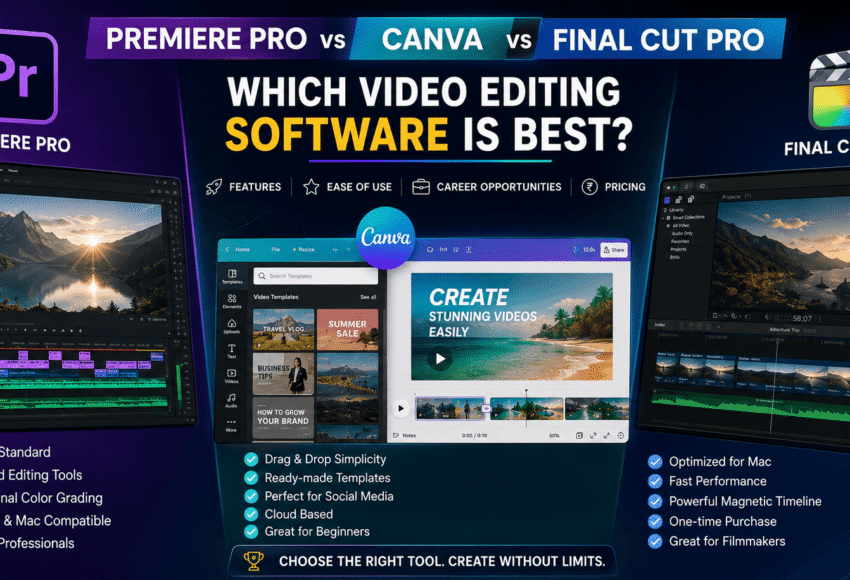
Premiere Pro vs Canva vs Final Cut Pro: Which Video Editing Software is Best in 2026?
Summary
Choosing the right video editing software is one of the most important decisions for beginners, content creators, freelancers, marketers, and professional video editors. Adobe Premiere Pro, Canva Video Editor, and Final Cut Pro are among the most popular editing tools in 2026, but each is designed for a different type of user.
If you’re wondering “Which video editing software should I learn?”, this comprehensive comparison will help you understand their features, pricing, ease of use, performance, career opportunities, and ideal use cases.
Whether you’re creating YouTube videos, Instagram Reels, cinematic films, or marketing content, this guide will help you choose the best software based on your goals.
Premiere Pro vs Canva vs Final Cut Pro: Complete Comparison
The explosion of video content across YouTube, Instagram, Facebook, LinkedIn, OTT platforms, and businesses has made video editing one of the most in-demand digital skills.
However, every editing software serves a different audience.
- Adobe Premiere Pro is designed for professional editors.
- Canva focuses on quick and easy content creation.
- Final Cut Pro is optimized for Apple users who want professional performance.
Let’s compare them in detail.
What is Adobe Premiere Pro?
Adobe Premiere Pro is an industry-standard professional video editing software used by:
- Film studios
- Television channels
- YouTubers
- Marketing agencies
- Corporate companies
- Freelance editors
It offers advanced editing capabilities with complete creative control.
Best For
- Professional Video Editors
- YouTubers
- Filmmakers
- Freelancers
- Agencies
Pros
- Industry-standard software
- Advanced timeline editing
- AI-powered editing features
- Multi-camera editing
- Excellent color correction
- Works on Windows & Mac
- Integrates with Photoshop, After Effects, and Audition
Cons
- Monthly subscription required
- Steeper learning curve
- Requires a powerful computer
What is Canva Video Editor?
Canva is primarily a graphic design platform that now includes a simple drag-and-drop video editor.
It allows users to create videos quickly without professional editing knowledge.
Best For
- Beginners
- Social media managers
- Small businesses
- Students
- Marketing teams
Pros
- Extremely easy to use
- Thousands of ready-made templates
- Cloud-based editing
- AI-powered design tools
- Great for Instagram Reels and social media
Cons
- Limited advanced editing features
- Basic timeline editing
- Not suitable for filmmaking
- Limited professional color grading
What is Final Cut Pro?
Final Cut Pro is Apple’s professional video editing software designed exclusively for macOS.
It is popular among filmmakers and creators who use Apple devices.
Best For
- Mac users
- Professional editors
- Filmmakers
- Content creators
Pros
- Optimized for Apple Silicon (M-series chips)
- Extremely fast rendering
- One-time purchase
- Powerful magnetic timeline
- Excellent performance for 4K and 8K editing
Cons
- macOS only
- Smaller plugin ecosystem than Premiere Pro
- Less commonly required in agency job listings
Feature Comparison
| Feature | Adobe Premiere Pro | Canva | Final Cut Pro |
|---|---|---|---|
| Ease of Learning | ⭐⭐⭐ | ⭐⭐⭐⭐⭐ | ⭐⭐⭐⭐ |
| Professional Editing | ⭐⭐⭐⭐⭐ | ⭐⭐ | ⭐⭐⭐⭐⭐ |
| Social Media Content | ⭐⭐⭐⭐ | ⭐⭐⭐⭐⭐ | ⭐⭐⭐⭐ |
| Motion Graphics | ⭐⭐⭐⭐⭐ | ⭐⭐ | ⭐⭐⭐⭐ |
| Color Grading | ⭐⭐⭐⭐⭐ | ⭐⭐ | ⭐⭐⭐⭐⭐ |
| Audio Editing | ⭐⭐⭐⭐⭐ | ⭐⭐⭐ | ⭐⭐⭐⭐ |
| AI Features | ⭐⭐⭐⭐⭐ | ⭐⭐⭐⭐ | ⭐⭐⭐⭐ |
| Platform | Windows & Mac | Web, Windows, Mac | macOS Only |
| Best for Beginners | ⭐⭐⭐ | ⭐⭐⭐⭐⭐ | ⭐⭐⭐ |
| Career Opportunities | ⭐⭐⭐⭐⭐ | ⭐⭐⭐ | ⭐⭐⭐⭐ |
Which Software is Best for Beginners?
If you’re completely new to video editing:
Choose Canva if:
- You want to create videos quickly.
- You mainly edit Instagram Reels or short marketing videos.
- You don’t want a steep learning curve.
Choose Premiere Pro if:
- You want a professional career.
- You plan to work as a freelancer.
- You want to edit YouTube videos professionally.
- You aspire to work in media or production.
Choose Final Cut Pro if:
- You already own a Mac.
- You prefer Apple’s ecosystem.
- You want professional editing without a subscription.
Career Opportunities with Each Software
Adobe Premiere Pro
Career options include:
- Professional Video Editor
- YouTube Editor
- Film Editor
- Corporate Video Editor
- Social Media Editor
- Freelance Video Editor
- Digital Marketing Agency Editor
- Wedding Video Editor
Demand is high across creative industries.
Canva
Career opportunities include:
- Social Media Executive
- Content Creator
- Marketing Assistant
- Graphic Designer
- Digital Marketing Executive
Canva is valuable for content production but is less commonly required for dedicated video editing roles.
Final Cut Pro
Career options include:
- Apple-based Production Houses
- Film Editing Studios
- Freelance Editors
- YouTube Creators
- Documentary Editors
It is especially popular among Mac-based creative professionals.
Pricing Comparison (2026)
| Software | Pricing Model |
|---|---|
| Adobe Premiere Pro | Monthly or Annual Subscription |
| Canva | Free plan available with optional Pro subscription |
| Final Cut Pro | One-time purchase |
Which Software is Best for YouTube?
Premiere Pro
Perfect for:
- Long-form videos
- Tutorials
- Podcasts
- Travel vlogs
- Gaming content
Canva
Best for:
- Shorts
- Promotional videos
- Simple animations
- Quick edits
Final Cut Pro
Excellent for:
- Cinematic YouTube videos
- High-resolution editing
- Mac-based workflows
Which Software is Best for Freelancing?
For freelancing, Adobe Premiere Pro is generally the strongest choice because many clients, agencies, and production companies expect editors to work with Adobe’s ecosystem. It also integrates seamlessly with After Effects and Photoshop, making it easier to handle a wider range of projects.
Which Software Should Students Learn?
Choose Canva if you want:
- Easy editing
- Social media content creation
- Fast learning
Choose Premiere Pro if you want:
- High-paying jobs
- Freelancing
- Professional editing
- Long-term career growth
Choose Final Cut Pro if:
- You own a Mac.
- You plan to stay within Apple’s ecosystem.
Final Verdict
| User Type | Recommended Software |
|---|---|
| Complete Beginner | Canva |
| Student | Premiere Pro |
| YouTuber | Premiere Pro |
| Social Media Manager | Canva |
| Professional Video Editor | Premiere Pro |
| Film Editor | Premiere Pro or Final Cut Pro |
| Mac Professional | Final Cut Pro |
| Freelancer | Premiere Pro |
| Digital Marketing Agency | Premiere Pro |
| Business Owner | Canva |
FAQs
1. Which software is easier to learn: Premiere Pro or Canva?
Canva is significantly easier for beginners due to its drag-and-drop interface. Premiere Pro has a steeper learning curve but offers much greater creative control.
2. Is Premiere Pro better than Final Cut Pro?
Both are excellent professional editors. Premiere Pro is available on both Windows and macOS and is more widely used across agencies and studios, while Final Cut Pro is optimized for macOS and delivers exceptional performance on Apple hardware.
3. Can Canva replace Premiere Pro?
No. Canva is ideal for quick content creation and simple edits, but it lacks many advanced editing, color grading, audio, and post-production features available in Premiere Pro.
4. Which software offers the best career opportunities?
Adobe Premiere Pro generally offers the widest range of career opportunities because it is widely adopted in media companies, digital marketing agencies, production houses, and the freelance market.
5. Which software should I learn in 2026?
- Choose Canva for simple social media content.
- Choose Premiere Pro for a professional video editing career.
- Choose Final Cut Pro if you’re a Mac user seeking high-performance editing.
Conclusion
There is no single “best” video editing software for everyone—it depends on your goals, experience, and workflow.
- Canva is the best choice for beginners, marketers, and creators who need fast, template-based editing for social media.
- Final Cut Pro is an outstanding option for Mac users who want professional performance with a one-time purchase.
- Adobe Premiere Pro remains the most versatile and industry-recognized solution for aspiring professionals, freelancers, YouTubers, agencies, and filmmakers



Leave a Comment